
In programming, we often want to repeat the same instructions many times.
For example, if we want to build a tall tower, we might repeat the same building instructions again and again.
Instead of writing the same commands many times, Python provides a tool called a loop.
A loop allows the program to repeat instructions automatically.
This makes programs shorter, easier to read, and much more powerful.
Loops are especially useful in Minecraft programming because many structures are built by repeating patterns.
For example:
- A tower repeats the same layer many times.
- A pattern repeats the same shapes across the ground.
- A sphere repeats circles at different angles.
Using loops allows the robot builder to create large structures with only a few lines of code.
Concepts You Will Learn
- What loops are
- How loops repeat instructions
- How loops work with building commands
- How loops create large structures quickly
A Simple Loop
The most common loop used in this course looks like this:
for count in range(5):This loop repeats the instructions inside it five times.
The variable count keeps track of the current repetition.
Everything inside the loop will run again and again until the loop finishes.
For example:
for count in range(3):
  vm.createSquare(6, False, Block.STONE)
This program will create three times the same square at the same place. (We’ll position them more meaningfully in the next programs.)
Each repetition of the loop builds another square.
Aquarium Project
What We Will Build
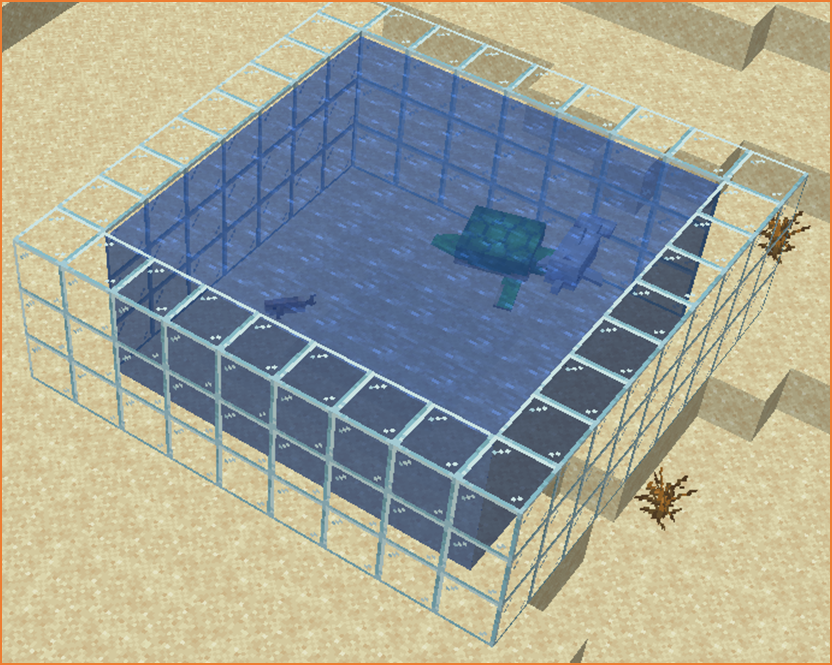
In this project we will create a decorative aquarium structure made from glass blocks.
The aquarium will look like a glass container where fish could swim.
Instead of building the walls manually, we will use loops to repeat the building instructions.
The robot builder will automatically create the structure layer by layer.
How the Program Works
The program uses a loop to create several layers of glass walls.
Each time the loop runs, the robot builder creates a square frame made of glass.
Then the robot moves upward before creating the next layer.
Repeating this process forms a tall aquarium container.
Python Code
#Python code: Create an aquarium
def aquarium():
  for count in range(8):
    vm.createSquare(12, False, Block.GLASS)
    vm.moveTo(1, Direction.UP)
Understanding the Python Syntax
for count in range(8)
This loop repeats the instructions eight times.
Each repetition creates one layer of the aquarium walls.
vm.createSquare
This command creates a square frame of blocks.
In this project the blocks are glass, which makes the aquarium transparent.
vm.moveTo
This command moves the robot upward so the next layer can be built.
Try It Yourself
Experiment with the aquarium program.
- Create a taller aquarium.
- Change the size of the aquarium.
- Use different block materials.
Survival Equipment Project
What We Will Build
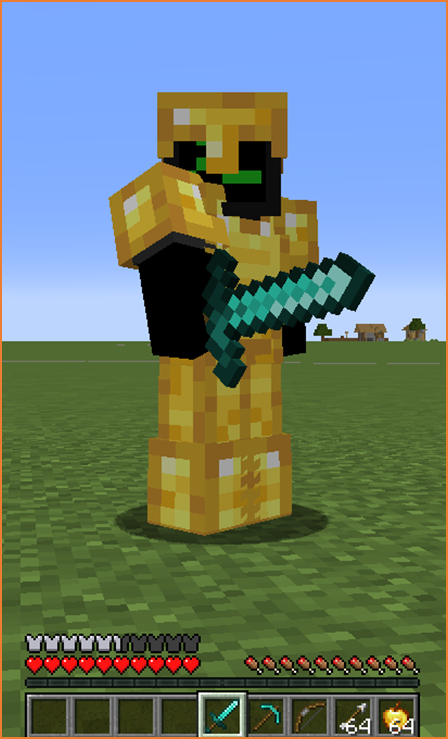
In this project we will create a survival equipment generator.
This program gives useful items to the player automatically.
Loops allow us to give multiple items quickly.
How the Program Works
The program repeats a command that gives items to the player.
Each repetition adds equipment to the inventory.
Python Code
#Python code: Survival equipment
def equipment():
  vm.giveToPlayer(Equip.INVENTORY, Item.IRON_PICKAXE)
  vm.giveToPlayer(Equip.INVENTORY, Item.IRON_AXE)
  vm.giveToPlayer(Equip.INVENTORY, Item.IRON_SHOVEL)
  vm.giveToPlayer(Equip.INVENTORY, Item.TORCH)
Understanding the Python Syntax
vm.giveToPlayer
This command gives an item directly to the player.
It is useful for quickly preparing players for survival or adventure maps.
Try It Yourself
Modify the equipment program.
- Add armor.
- Add food items.
- Create a starter kit for new players.
Birthday Cake Project
What We Will Build
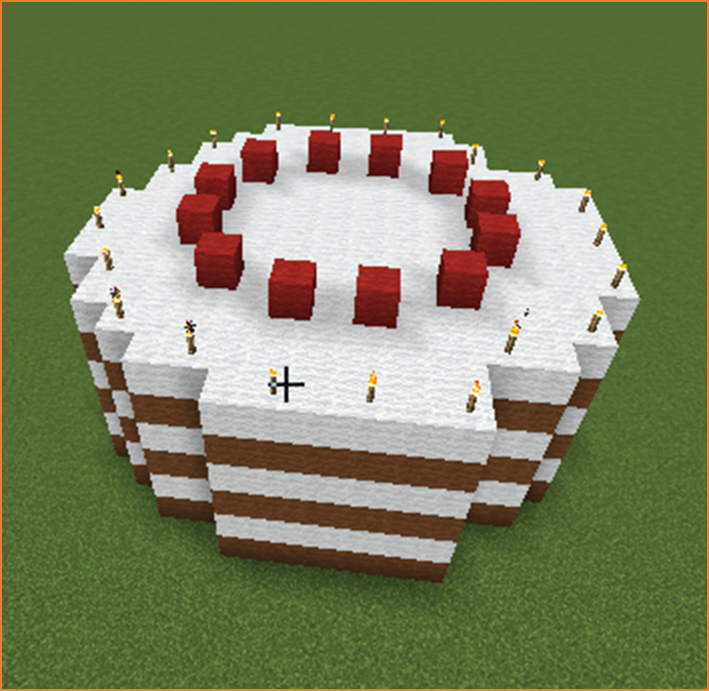
In this project we will build a giant birthday cake.
The cake will have several stacked layers with frosting on top.
Loops allow us to stack cake layers automatically.
How the Program Works
The program repeats instructions that create circular cake layers.
Each repetition creates a layer and moves upward.
Python Code
#Python code: Create a birthday cake
def cake():
  for count in range(4):
    vm.createCircle(8, True, Block.PINK_WOOL)
    vm.moveTo(1, Direction.UP)
  vm.createCircle(8, False, Block.WHITE_WOOL)
Understanding the Python Syntax
Loops
Loops allow the robot builder to repeat building instructions automatically.
This makes it easy to build stacked structures like cakes and towers.
Try It Yourself
Experiment with the cake program.
- Create more layers.
- Use different colors.
- Add candles on top.
Loops are one of the most important tools in programming.
In the next section you will learn how to combine different shapes to create more complex structures.