
Learn to Code with Minecraft
Book Companion
Welcome to the official companion page for Learn to Code with Minecraft!
Ready to bring the projects in the book to life? Here you will find everything you need to follow the tutorials, experiment with the examples, and build your own amazing Minecraft creations.
Whether you’re building your first diamond square, designing a giant aquarium, creating a tornado, or programming your own Ferris wheel, you can download the XML code files used throughout the book and use them directly in your Minecraft coding environment.
Let’s start building!
Take a look inside the book!
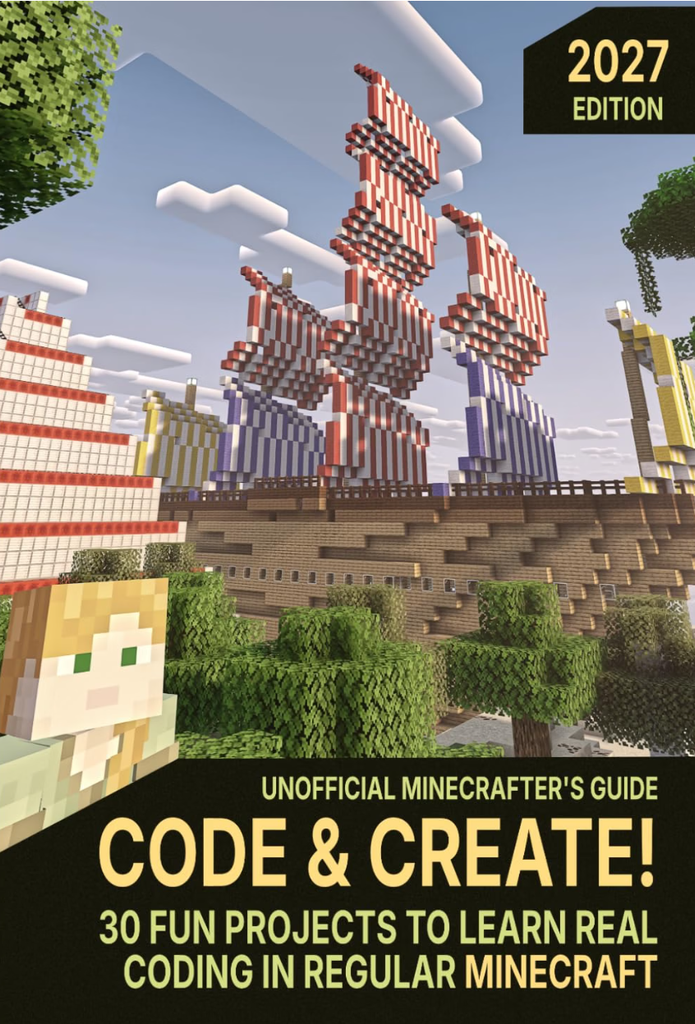
Curious about what’s inside Learn to Code with Minecraft?
Watch the video below for a complete flip-through of the book. You can browse all the pages and get a closer look at the projects, illustrations, and coding activities before getting started.
Download the project files
To make learning easier, all the code files used in the book are available for download below.
Each file corresponds to a specific project. Simply find the chapter and project you are working on and click the download link.
You can use these files to:
- Load the example code and explore how it works.
- Follow along with the instructions in the book.
- Experiment with the code and change the projects.
- Learn by modifying existing programs and creating your own variations.
A little tip: Don’t just copy the code! Try changing values, adding new blocks, and experimenting with different ideas. That’s how you become a real Minecraft coder!
Chapter 2 – First Programs
Learn the basics of programming by creating your first Minecraft structures.
- BlockBot’s First Diamond Square – [Download XML]
- The Chicken Squad – [Download XML]
Chapter 3 – Simple Loops
Discover how loops make it possible to repeat instructions and build amazing structures with just a few lines of code.
- The Sky-High Treasure Tower – [Download XML]
- Amazing Aquarium – [Download XML]
- Survival Starter Kit – [Download XML]
- The Snowball Battle Arena – [Download XML]
Chapter 4 – Functions
Learn how to organize your code into reusable functions and create more complex projects.
- Your Mega Birthday Cake – [Download XML]
- Falling Block Chain Reaction – [Download XML]
Chapter 5 – Orientation in 3D
Explore the three-dimensional Minecraft world and learn how to work with directions and positions.
- Emerald Triangular Tower – [Download XML]
- The Disappearing Stair Game – [Download XML]
- Magic Potions – [Download XML]
Chapter 6 – Rotation and Tilt
Discover how rotation and angles can transform your Minecraft creations.
- Build a Rotating Tornado – [Download XML]
- Symbol Towers – [Download XML]
- Laser Eyes – [Download XML]
- Tilted Towers – [Download XML]
- Letter Rocket – [Download XML]
- Hot Air Balloon – [Download XML]
- Random Art Towers – [Download XML]
Chapter 7 – Variables
Learn how variables store information and make your programs more flexible and powerful.
- Variable City – [Download XML]
- Double Rainbow – [Download XML]
- Pyramids – [Download XML]
- Magic Carpets – [Download XML]
- Pompom Beret – Download XML
- Ferris Wheel – Download XML
Chapter 8 – Parameters
Discover how parameters allow you to customize functions and create more versatile programs.
- Defense Builder – [Download XML]
- Amazing Zoo – [Download XML]
Chapter 9 – Logic
Put your programming skills to the test with logical decisions and interactive projects.
- Lucky Dice – [Download XML]
- Beacon Pedestals – [Download XML]
Chapter 10 – Big Projects
Combine everything you have learned to create larger and more ambitious Minecraft projects.
- Spiral Rails – [Download XML]
- Mighty Galleon – [Download XML]
Chapter 11 – From Blocks to Python
Ready for the next step? Discover how visual programming connects to real programming languages.
- A First Look at Python – [Download XML]
How to use the project files
Getting started is easy!
- Find the project you want to work on in the list above.
- Click its Download link.
- Save the file to your computer.
- Open the coding editor.
- Load the downloaded file using the editor “Load” button.
- Explore the code, run the program, and see your creation come to life in Minecraft!
Important: Make sure you are using the Minecraft edition and coding environment described in the book. Different Minecraft editions and coding tools may use different project formats.
Need a little help?
Got stuck on a project or having trouble getting your code to work? Don’t worry – learning to code is all about experimenting, making mistakes, and finding solutions! If you need a hand, simply scroll to the bottom of the main VisualModder page, where you’ll find the contact form. Send us a message describing the problem you’re experiencing and let us know which chapter or project you’re working on. We’ll be happy to help you get back on track!
Your coding adventure doesn’t end here!
Congratulations on taking your first steps into the world of programming!
With Learn to Code with Minecraft, you’ve discovered that coding isn’t just about writing instructions on a screen. It’s about creativity, problem-solving, experimenting, and turning your imagination into something real.
Keep exploring. Change the projects. Build something completely new. And most importantly, have fun!
Happy coding and happy building!
Learn to Code with Minecraft – Your companion page for project downloads and additional resources.