
Before we continue building more complex structures, we need to understand the place where our programs are written: the coding editor.
The coding editor is where you write and modify your Python programs.
Every Minecraft building script begins in the editor. Once the code is written and saved, Minecraft can run the program and the robot builder will follow the instructions.
Learning how to use the editor properly will make programming easier and faster.
Concepts You Will Learn
- How to open and edit Python scripts
- How code is organized in files
- How to run your programs in Minecraft
- How to fix simple coding mistakes
- How to keep your code organized
What Is the Coding Editor?
The coding editor is a web page where you write Python code.
It works like a digital notebook for programming.
To acces the editor open the web page www.visualmodder.org and click on the button labeled “code editor”
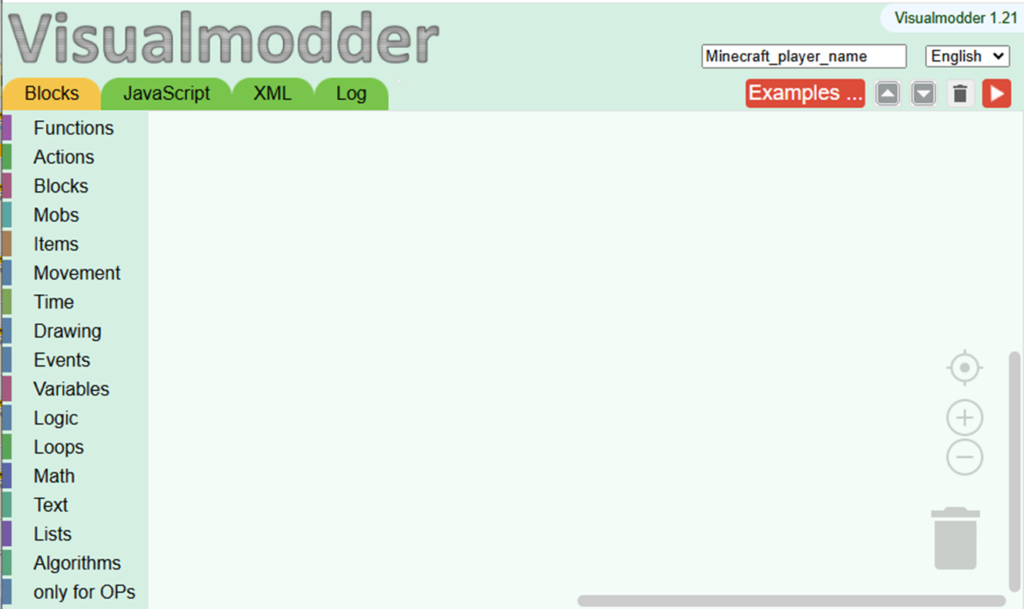
Inside the editor you can:
- Write code
- Edit existing programs
- Save your scripts
The editor allows mixing code blocks, for younger students learning coding, with python code for more advanced ones.
To enter coding you have to select a Python coding block from the menu on the left
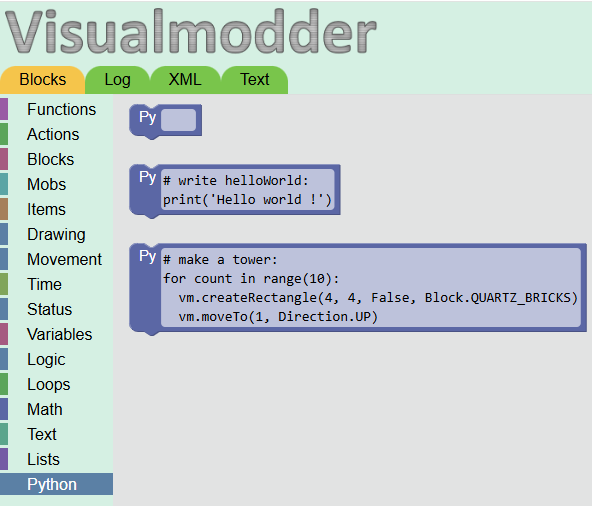
To transfer the code to the Minecraft server it’s enough to register the own player name in the top right field. You must use the name of your Minecraft player as you defined when you purchased the game.
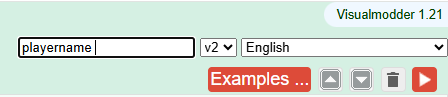
The code is transferred automatically as soon as you click on the Minecraft game
Running Programs in Minecraft
After writing your program, you need to run it inside Minecraft.
To connect your Minecraft java game that you purchased on the Mojang website, you have to add the server at the address:
server.visualmodder.org
You can name the server as you prefer, we chose “Coding for kids”
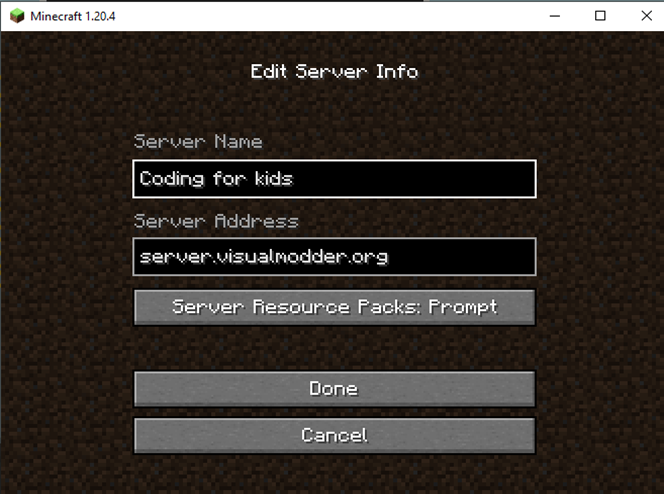
Once you are in the game and joined the Minecraft world you can execute your commands using the “/” execute key. Notice that this is different from the “t” key used for chatting.
This is done using the /vm command.
For example:
if you have a program called “square”
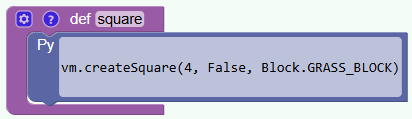
you simply execute the command
/vm square
This command tells Minecraft to run the function called square.
The robot builder will then follow the instructions written in that function.
If your program contains several functions, you can run each one separately.
For example:
/vm circleThis runs the circle-building function.
Common Coding Mistakes
When learning programming, mistakes are normal.
Even experienced programmers make mistakes.
Some common beginner mistakes include:
- Forgetting a colon after a function name
- Incorrect indentation
- Misspelling a command
- Using the wrong block name
For example, a function must always end with a colon:
def square():If the colon is missing, Python will not understand the instruction.
Indentation in Python
Python uses indentation to organize instructions.
Indentation means adding spaces before lines of code.
For example:
def square():
  vm.createSquare(8, False, Block.STONE)
The second line is indented.
This tells Python that the instruction belongs to the function.
Without proper indentation, the program will not run correctly.
Keeping Code Organized
As programs grow larger, it becomes important to keep code organized.
Good programmers follow simple habits:
- Use clear function names
- Keep related instructions together
- Write one task per function
- Add comments to explain the code
For example:
# Build a simple tower
def tower():
  vm.createSquare(8, False, Block.STONE)
The comment explains what the function does.
Comments are ignored by Python but help humans understand the program.
Try It Yourself
Open the coding editor and try the following:
- Create a function that builds a square.
- Create another function that builds a circle.
- Save the file.
- Run both functions inside Minecraft.
Experiment with different shapes and block types.
Getting comfortable with the coding editor is an important step toward becoming a confident programmer.
In the next section you will learn how loops can repeat instructions automatically, allowing you to build much larger structures with very little code.